Manage All Your Operations on One Screen, Keep Every Team in Sync
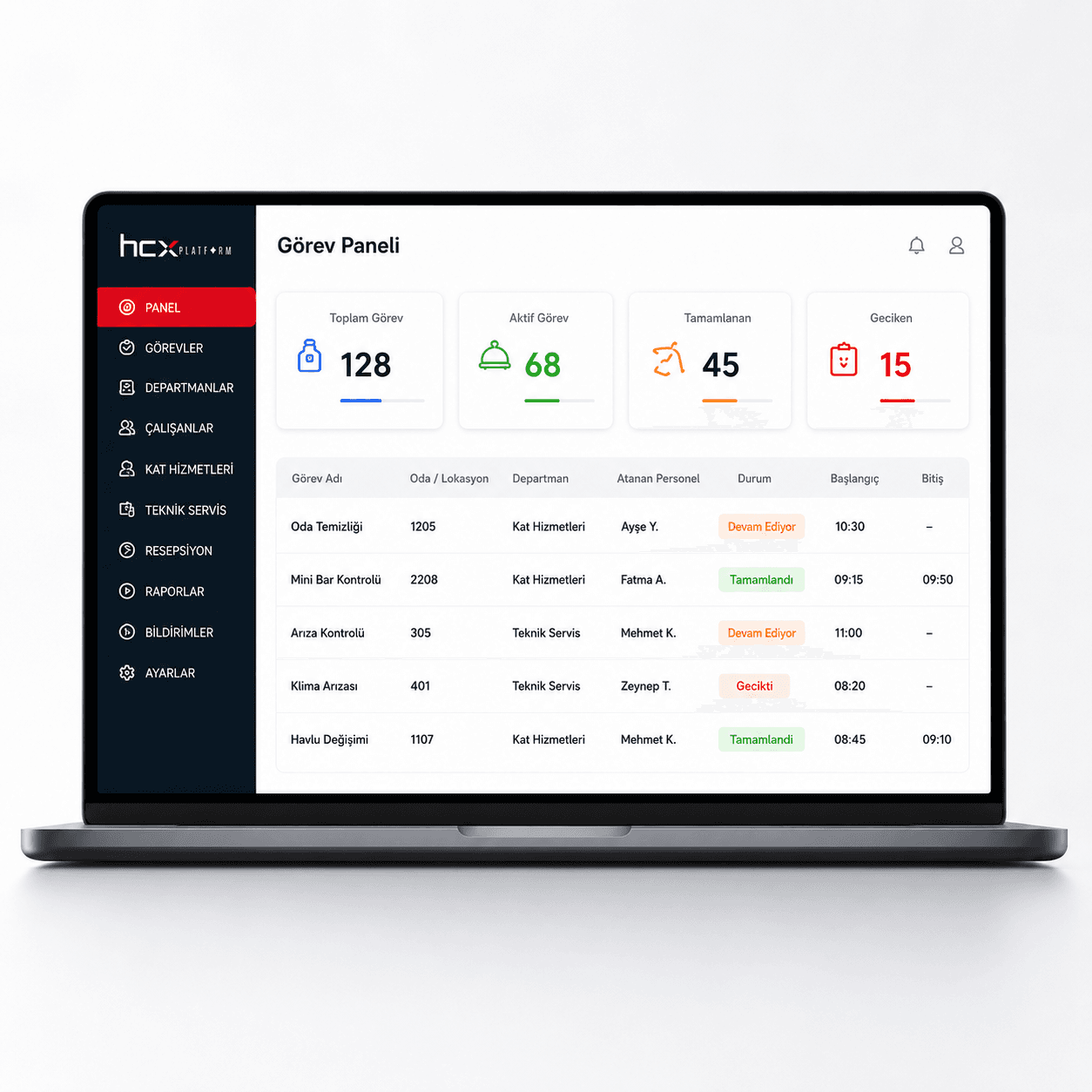
Manage task and issue flow between housekeeping, technical service, front desk, and other departments in one system. Room number, notes, photos, notifications, status tracking, and reporting come together in one process.
HCX Operasyon Takip
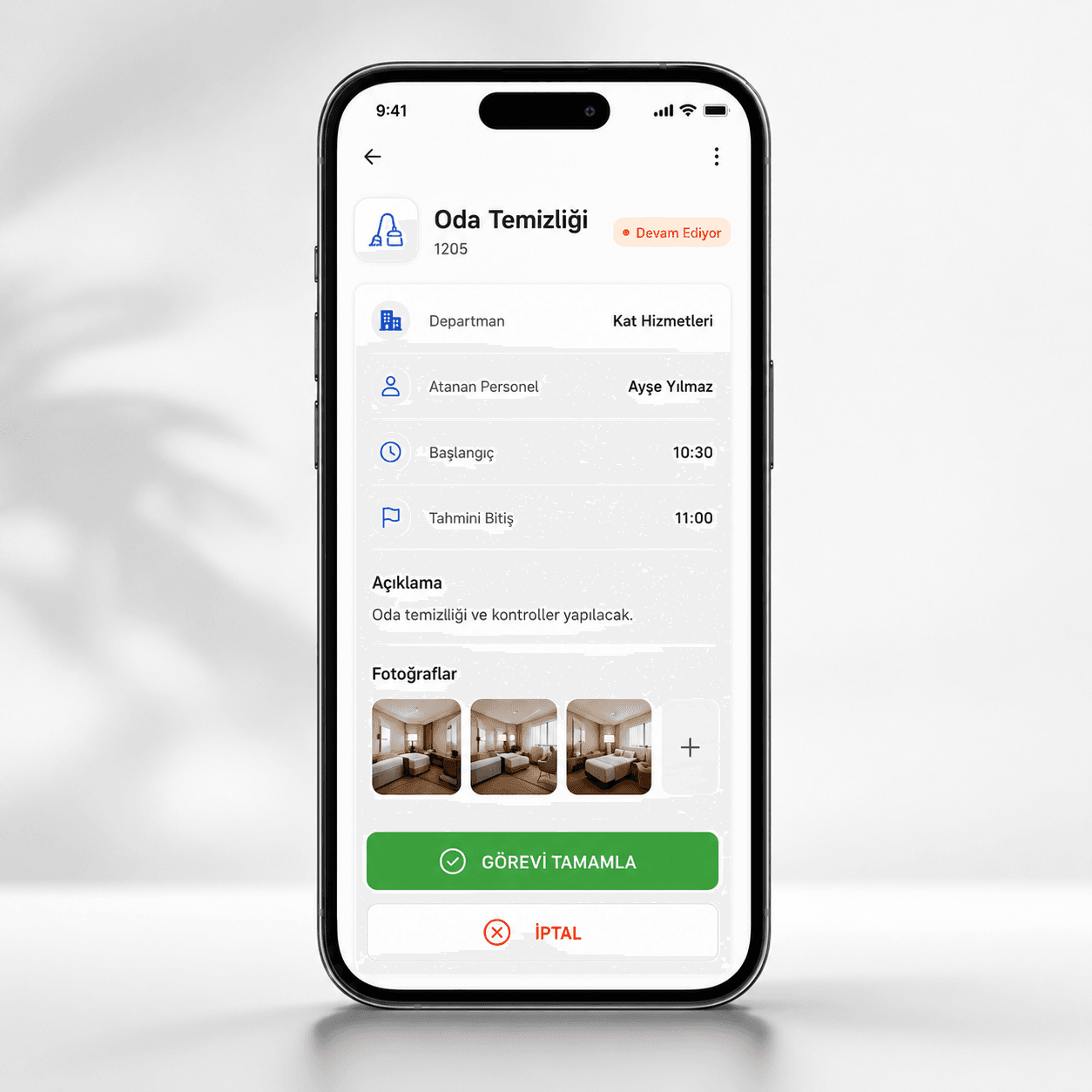
Create field tasks on mobile, manage the whole operation from the panel.
Housekeeping, technical service, front desk, and management work in the same flow. Room number, note, photo, assigned staff, status, and completion data stay in one system.
Key Benefits
- Plan housekeeping, technical service, and front desk tasks from a single panel
- Assign room-specific tasks and track their status in real time
- Update tasks from the field with photos and notes
- Instant push and SMS notifications for new tasks
- Staff- and department-level performance reports
Features
Task management
- Centralized task management
- Department-based planning
- Staff- and location-based assignment
- Room-specific tasks
- Real-time status tracking
Operations control
- Add photos
- Add notes
- Start and end times
- Overdue task tracking
- Task history
- Activity logs
Mobile usage
- Mobile-friendly usage
- Phone and tablet support
- Instant task notifications
- Field updates
- Push notifications
- SMS notifications
Performance
- Staff performance
- Department performance
- Working time analytics
- Manager dashboard
- Operations reports
How It Works
- 1
Tasks are created from the central panel by department, staff member, and location/room number.
- 2
The assigned staff member receives an instant notification (push/SMS).
- 3
Staff update the task from the field via phone or tablet, adding photos and notes.
- 4
Start/end times and overdue tasks are tracked automatically.
- 5
Staff and department performance are reported on the manager dashboard.
Use Cases
- Housekeeping
- Technical service
- Front desk
- Guest requests
- Maintenance and repairs
- Inspection and audits
Target Sectors
Frequently Asked Questions
Is mobile usage supported?
Yes. Field updates from phone or tablet, plus push and SMS notifications, are supported.
How are overdue tasks tracked?
Start/end times and overdue tasks are tracked automatically by the system.
What do the performance reports cover?
They cover staff performance, department performance, working time analytics, and operations reports.
Which departments can use it?
It can be used for housekeeping, technical service, front desk, guest requests, maintenance/repairs, and inspection/audit processes.
Can photos be attached to tasks?
Yes. Photos and notes can be attached to tasks as part of operations control.
Get a Quote for This Product
Contact our team with any questions, or request a proposal tailored to your business.