
Network & Infrastructure
How to Manage a Multi-Location MikroTik Infrastructure from One Panel
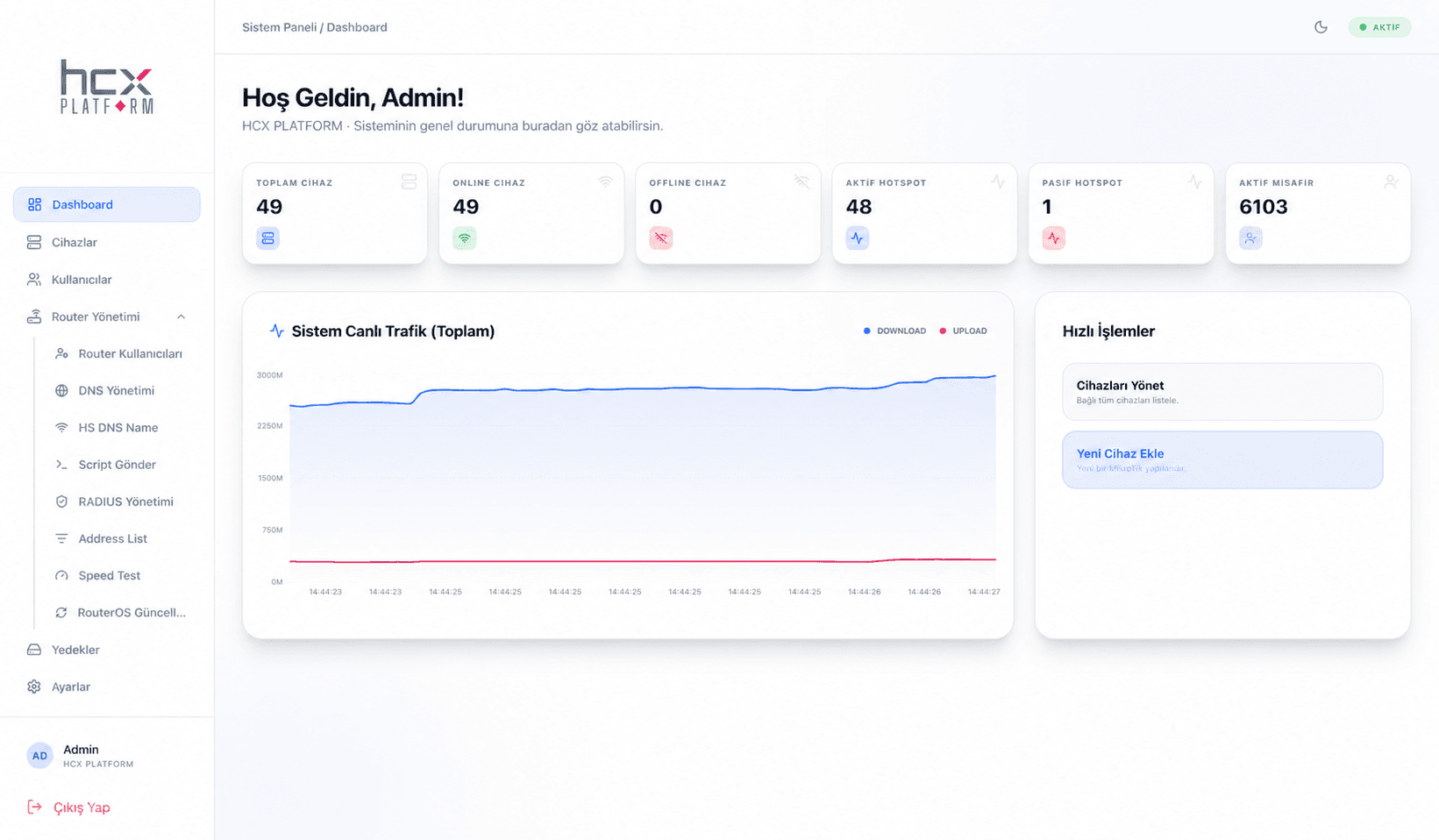
In multi-location setups like hotel chains, malls, or campuses, logging into each facility's MikroTik device separately wastes time and raises the risk of errors. HCX MikroControl brings all of these devices together into one central panel.
Organizing your devices
MikroTik devices are added to the panel via Plain API (8728) or SSL API (8729); bulk import via CSV is also supported. Devices can be organized by location, group, and tags.
- Add/edit/remove devices
- Device grouping and tagging
- Search and filtering
- Multi-location support
Real-time monitoring
Critical metrics like traffic, CPU, memory, connection status, and uptime are tracked in real time across every device; email notifications go out when critical performance thresholds are crossed.
Saving time with bulk operations
Features like bulk device import via CSV, bulk command execution, and remote restart save time for teams managing large device fleets on repetitive tasks.
Who is it for?
HCX MikroControl offers a central control point for multi-location hotel chains, malls, hospitals, campuses, and system integrators managing large numbers of MikroTik devices.
Related Product
HCX MikroControl →Let's Talk About Your Project
Have questions about this topic? Get in touch with our team or request a quote.